A Zotero to Obsidian Workflow
A step-by-step guide to connecting Zotero and Obsidian, so your quotes and citations are always linked back to the original source.
There is a fantastic workflow between Zotero and Obsidian, allowing you to pull quotes into Obsidian, add citations, and also have links back from Obsidian to the original paper/article in Zotero. With a click of a button you can find the original paper and all the quotes you highlighted.
In Zotero, choose your quote or quotes. Copy them (Command C). Then go to the note in Obsidian and paste it.
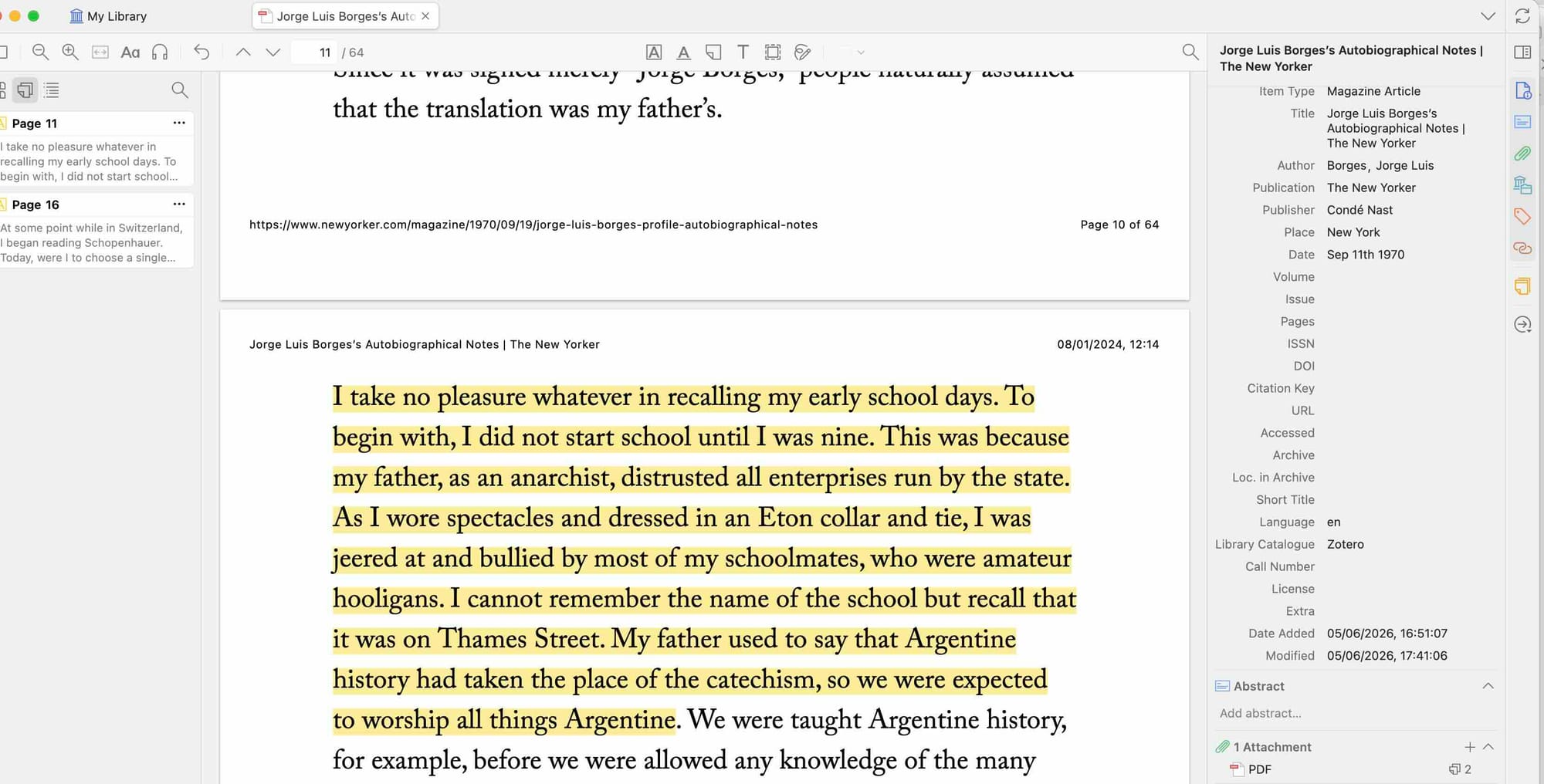
It pastes "" around the quote when it pastes it in Obsidian, so you can replace those with > at the start so you format the quote in the Obsidian way.
You might have to add info for the citation yourself, which you do in Zotero by opening the pop out menu on the right - and the first icon is "info", up in the top right. There is a difference between a magazine article and a journal article in how it creates the citation.
Here is the quote from the New Yorker article.
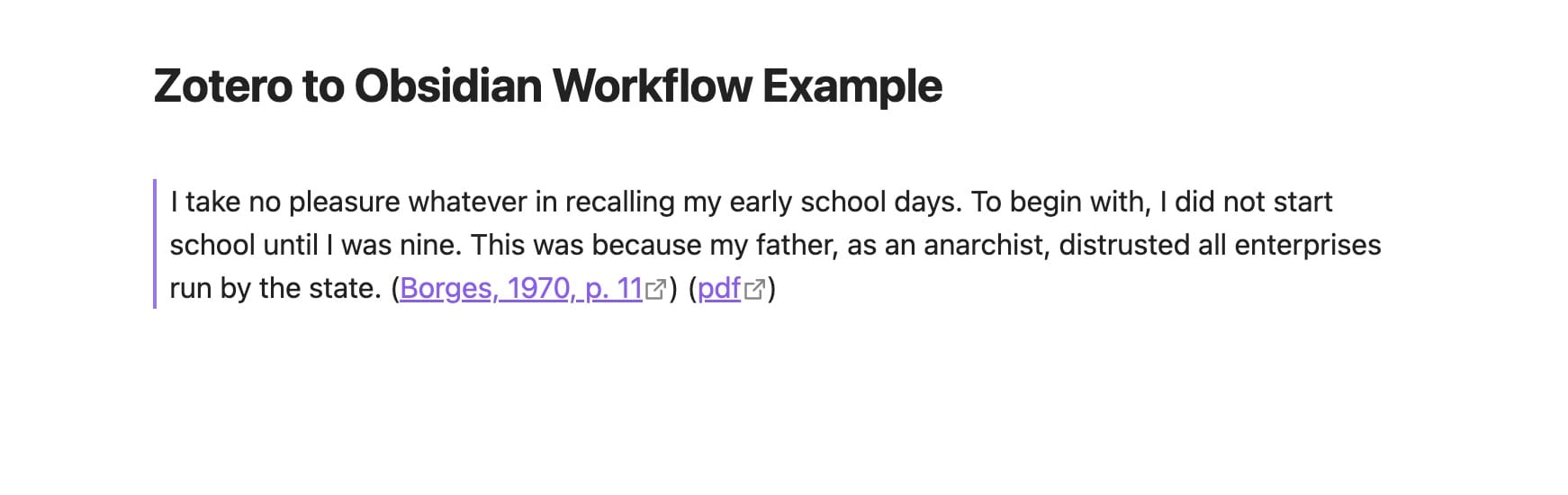
You can see here that it also includes two links - one is to the article in the library, the other is to the pdf itself.
It opens these in the Zotero app, so you can go straight to the paper and all the quotes you highlighted. Absolutely super.
You can find the shortcuts to add citations in the Zotero menu: Edit: Copy Citation and Copy Bibliography.
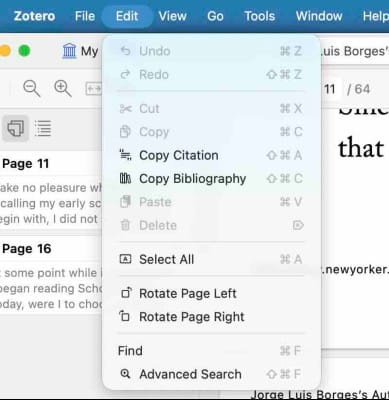
In the pdf in Zotero:
Command + Shift + A = Inline citation.
Paste it into Obsidian and you get : (Borges, 1970)
Command +Shift +C = Bibliographical citation.
Paste it into Obsidian and you get :
Borges, J.L. (1970) 'Autobiographical notes', The New Yorker, 19 September.
Thanks for reading.
I've found using Obsidian to be transformative. Here is a pillar post I wrote on the subject - An Introduction to Obsidian for Writers.