Improving Page Rank for a Blog Post - A Case Study
Learn some of the key actions to improve a page's SEO and page rank - website speed, formatting, search console and more.
I will use a page I recently worked on as a case study to show how to improve SEO and also page rank.
I will cover how to analyse website speed and some key actions which moved this page from position 11.5 to position 4.9 with an 193% growth in impressions. It is within distance of being in the top three. However, I will also look at the testing phase - (what goes up might also go down!).
Use free tools such as Page Rank, Web Inspector and Google Search Console to improve discoverability. Let's dive into the workflow to help improve the SEO of a post.
Case Study at a Glance : Before we dive into the technical details, here is the impact of the SEO changes I implemented over the last 90 days:
| Metric | Before | After | Improvement |
|---|---|---|---|
| Average Position | 11.5 (Page 2) | 4.9 (Top 5) | +6.6 Positions |
| Search Impressions | Baseline | +193% | Nearly Tripled |
| Google Page | "Beyond the Wall" | Top of Page 1 | Search Visibility |
In this post:
- Key SEO stats to gather for your page
- Checking your website's sitemap
- Setting up Google Search Console
- Analytics for your blog
- Page formatting actions which improve SEO
- Improving website page speed
- The Google ranking testing phase
- The takeaway
Key SEO stats to gather
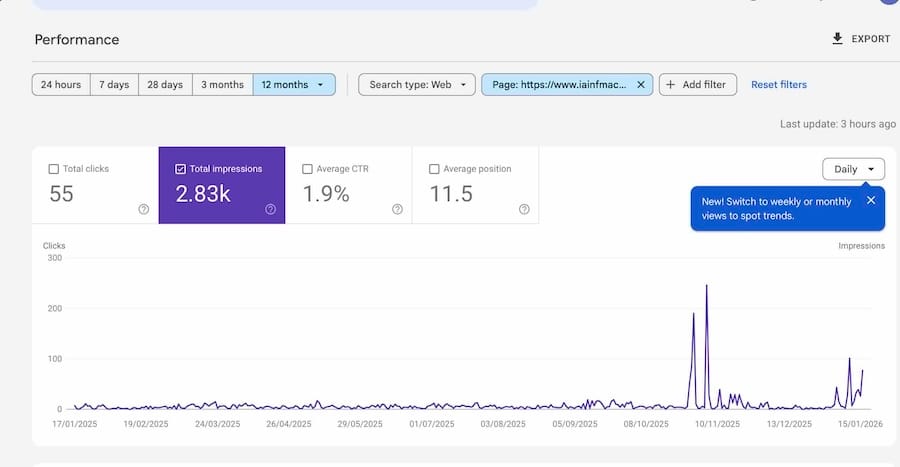
The post I am using for this case study an account of a three day workshop with Thomas Ostermeier. Here are some of the key stats to look at in Google Search Console to give you a baseline.
The average starting position was 11.5, meaning that it would appear on the second page of Google results. This is beyond the wall, in internet terms. A crow tapping on Jon Snow's window in the middle of the night.
Checking your website sitemap
Let's first check if all your posts are actually appearing on your site map.
Every website has a sitemap and you should be able to find it at : https://www.yourdomain.com/sitemap-posts.xml
It is like GPS for the Googlebot, and allows it to crawl your site much more efficiently. It only visits so often - I talk about the Google crawl budget in another post.
Is the post you're looking for on this list? If not, Google can still find it, but it makes life harder. It is possible you have the wrong canonical tag. On Ghost, you shouldn't write anything in that box.
I write about issues with canonical tags in another post.
Setting up Google Search Console
Google Search Console is free. It tracks search. That is, how often you appear in Google search results and how often people click. It isn't like Google Analytics, that tracks all visitors - only Google search results are in scope.
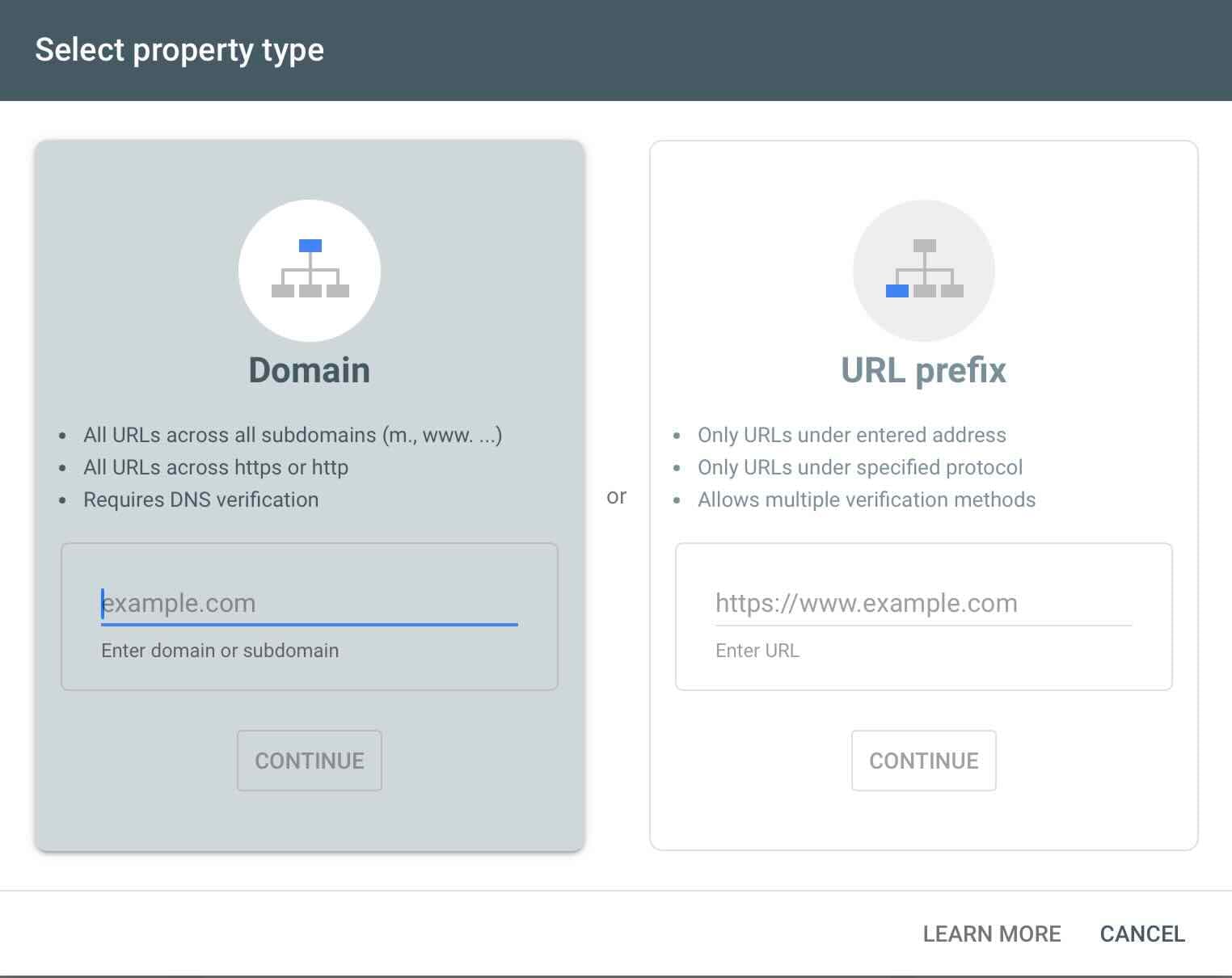
It is simple to add a property - top left, you click add a property. Then there is a set-up wizard that takes you through the process.
The 'add domain' setting is more powerful. As it says, it needs DNS verification. I won't get into that just now, but worth getting your web developer to help if needed. Then it covers all versions of your site.
Once you have it set up you see unbelievably deep stats on all your pages.
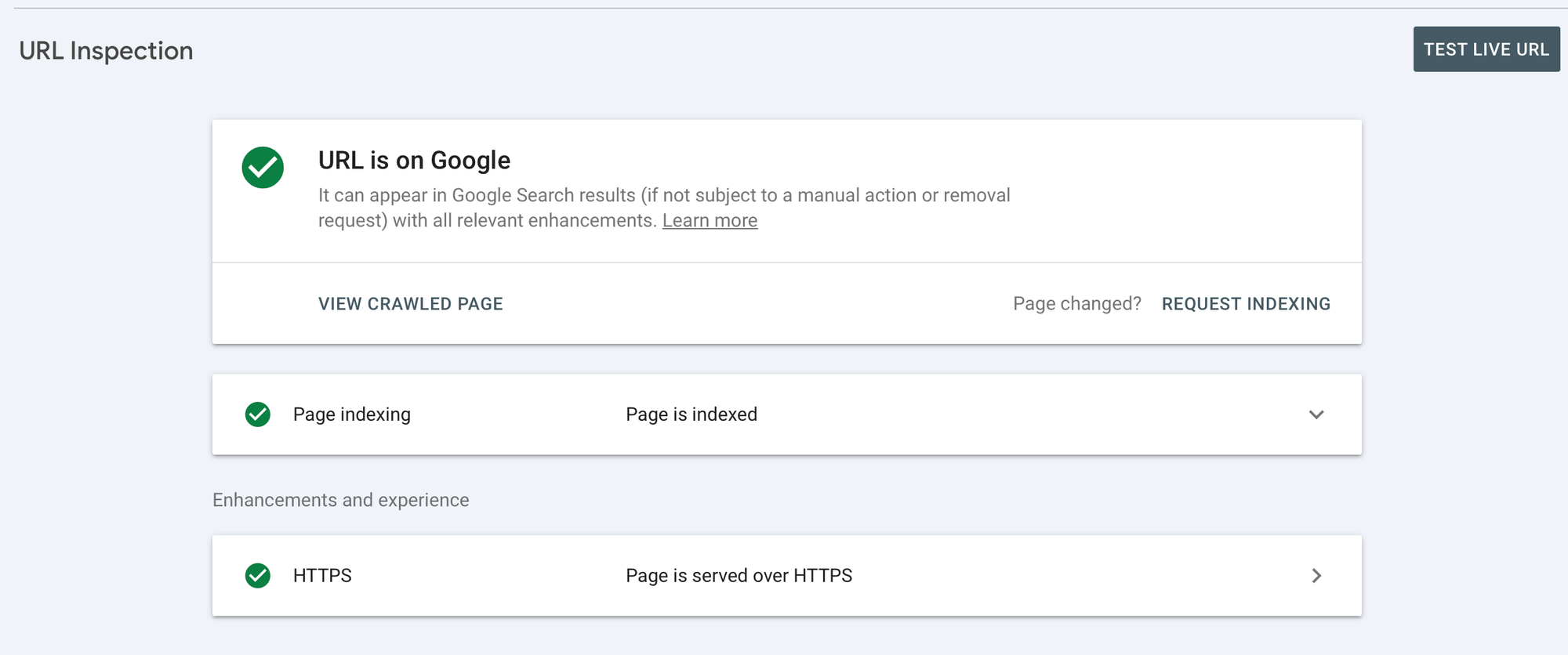
There is a search box at the top and you can paste your URL in there and you can inspect whether the page is indexed by Google. If it is you will get this screen.
If not, it may be for a number of reasons. The most likely are :
- The content on the page is too thin.
- You have another version published somewhere and Google has decided this isn't the canonical page.
- You have no internal links to it, so Google thinks your page is out on a limb and not part of your context ecosystem. This is called an 'orphan' page.
If it doesn't appear, looking at your content is the first step.
Google Search Console Settings
The next step - go to settings in the bottom left. This opens a screen which tells us whether a few key things are in place:
- That you own the site.
- That the file robots.txt is in place. This is an important file which any bots visiting your site read - it allows some actions and disallows others - for example, whether you are happy for your writing to be used for training LLMs. You can see what is on it by visiting https://www.yourcomain.com/robots.txt
- How many times Google visits your site to crawl it and see if there is anything new. If you don't update your site often, Google sends crawlers less often.
Analytics for your blog
Most people use Google Analytics (GA) for this as it is free and comprehensive. It is a little too detailed and 'enterprise focussed' at times.
And there is also a big issue with how much to trust the statistics. There is a problem with bots. This link takes you to the Blogger's glossary - a short and simple explanation of what bots are.
Google Analytics screens out a good deal of bot traffic, but an awful lot gets through. It is also difficult to block analytics by country on it, or your own visits. So it really is a bit hard to trust your Google Analytics.
I now use Plausible Analytics instead. They don't sponsor me or anything, it's just a much better experience. They are good for privacy, they don't track people all around the web.
The code you add to the website is light and fast - GA code makes your website slower. And their stats are easy to understand. The only downside is that they are a paid for service. I think it's worth it though, to get a clear picture of what is working and what isn't.
Page formatting options which improve SEO
Here are the simple things I did to help the page's SEO. A good thing to bear in mind is that Google now looks at search from a mobile-first perspective. Here is an article on their site called Mobile-first indexing has landed.
It's all about the thumb, you see. It's all about saving your thumb from doing work. And answering questions in the quickest and best way possible so Google make more advertising money.
I added H2 headings.
Headings allow the reader to scan the text easier and see if it answers their questions, rather than just trying to find their way around a big, solid block of text.
The title of the post is usually H1 (Big!) The main sections are H2 (och I'm a little smaller). The sub-headings are H3 (I still matter, you know.) Never add an H3 unless it belongs to and after an H2. Even if they look a little smaller and nicer.
In this section page formatting options is an H2. And I added etc... is an H3.
I added jump links
There are jump links rights at the top of this post. They are like a table of contents.
They don't suit every post and some of my favourite writers don't use them. They are good for informational pages. A long-form essay blog I really like called Wait but Why? doesn't use them.
Here is a post on how to add jump links in Ghost and Substack - and the principle is the same on other platforms.
Internal and external linking
If you do not link your pages internally, Google thinks they are 'orphan' pages. like, 'this cove's website is a deep dive into Vogon poetry, and then there's one article about Japanese verbs which nothing links to'... No thanks, mate, says the Google.
External links, or backlinks, is when someone links to you. Say another blog links to your blog in a post. These are important, and are actually a very interesting part of the Google story. It's the flash of inspiration that the creators of Google had which let them leapfrog over the other search engines at the time. They based it on a similar system to academic citations. If you are cited a lot, your work is more authoritative. It's like High School all over again.
There are good and bad backlinks. Good ones are from relevant sites in your field. There's no point buying bad ones.
Improving website page speed
Page speed is a factor in how Google ranks your website. However, it's not everything. They say :
The "Speed Update", as we're calling it, will only affect pages that deliver the slowest experience to users and will only affect a small percentage of queries... The intent of the search query is still a very strong signal, so a slow page may still rank highly if it has great, relevant content.
There is a free tool which lets you analyse the performance of your website - Google Page Speed Insights. Bear in mind the results do change a little, especially if you run this a few times.
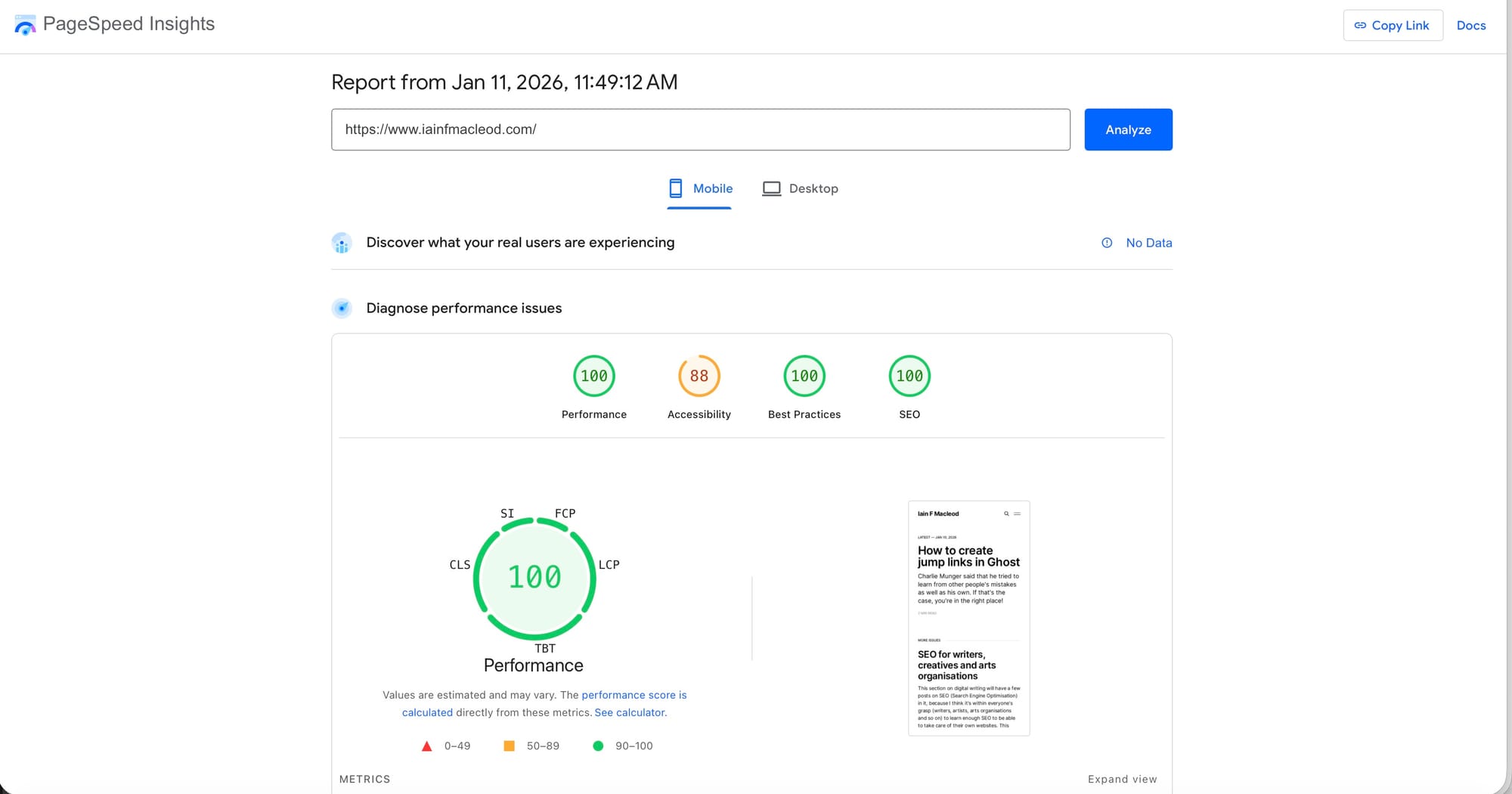
It gives you scores for four key headings and it lists the things you can do to improve them.
For example, you might have Meta Pixel on your site, which slows it down. You might have photos in your theme which could be smaller, letting them load quicker. It is easy to get into angels on the heads of pins territory.
Ghost sites are quick anyway, and my site is mainly text. Here is a graphic of the results. After some work I managed to get accessibility up, but at the cost of speed, so discarded the change. The main thing holding the accessibility down is that the 'time to read the article' text on the page is in a slightly lighter grey. It ain't messing about.
Use Cloudflare to improve page speed
Using Cloudflare is another way to improve page speed. When someone asks for your website, if it is routed through Cloudflare, they deliver a cached version which is closer in location. Say someone in LA searches for this page. Instead of the results being delivered from London, it would load from a closer source. I like to think it's Beverley Hills.
The Google ranking testing phase
So this is a very interesting part of the process.
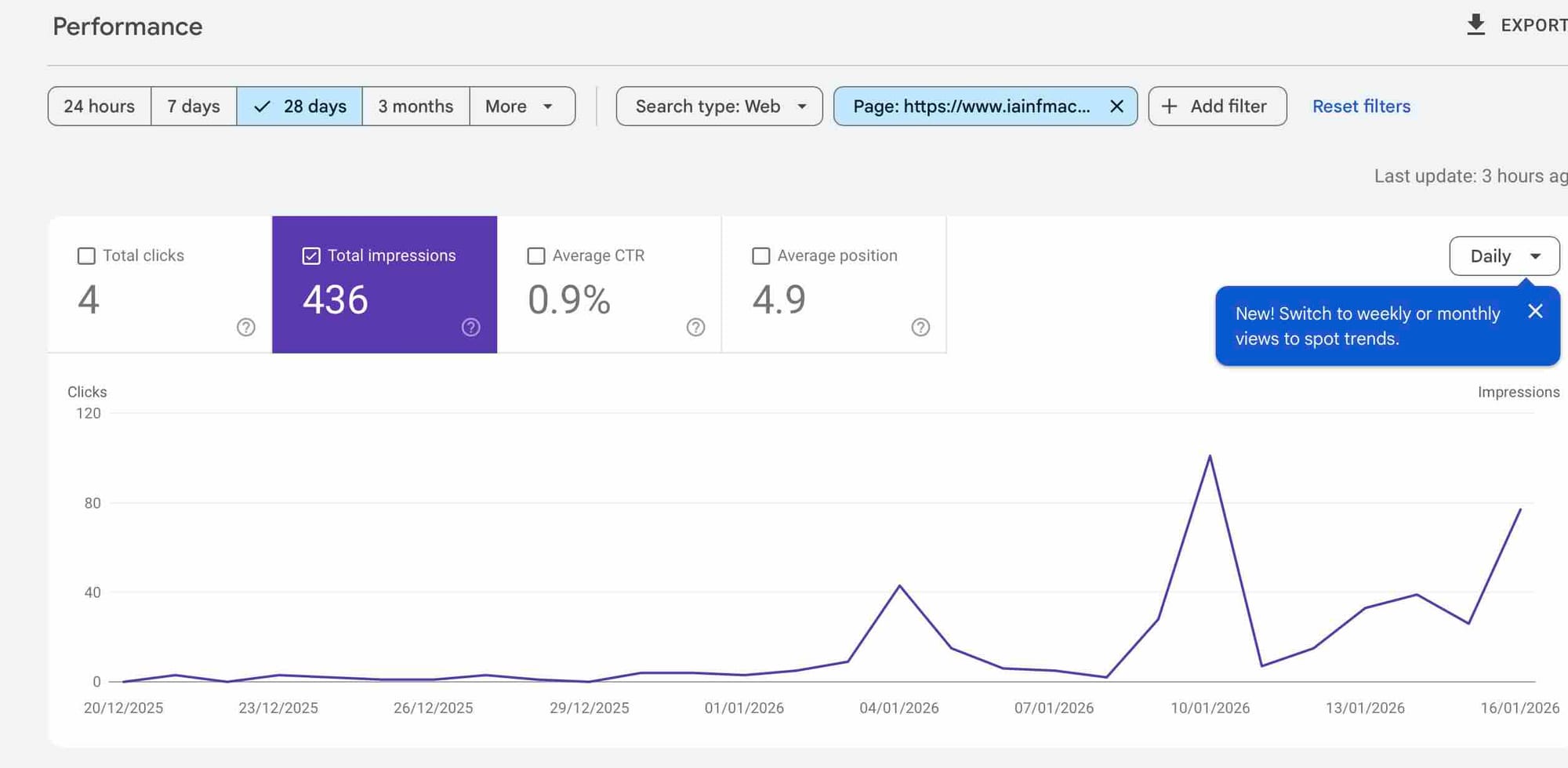
After implementing these changes the page got to an average position of 4.9 (up from 11.5). Google moved it up the ranking to test it. It's not a static process, it's always testing a page against other pages to see how they fare against each other. Think of it like the internet Coliseum.
For this page, it's not looking so good. The click through rate has fallen to 0.9%, so that may mean other pages were delivering answers better than this one. And this is exactly right - the Schaubühne Theatre, where Ostermeier works, has lots of great writing about and by him. My prediction is that it might fall back again if this pattern continues,
The takeaway
How could I carry on improving the performance of the page? Well, it is not a linear process. The higher up the rankings, the more relevant and authoritative the pages you are up against are.
And so there are diminishing returns. depending on how much time one wants to put into it. I'm not selling anything, so at the end of the day I have other motivations - to make the page better for readers and to enjoy writing.
It has been a useful exercise, though, to see how some simple changes to the page improved its SEO considerably. I hope it has been useful.